Gear Generator for OpenSCAD
OpenSCAD users can code gears with community libraries, and sometimes should. But when you want a correct helical, herringbone, internal or bevel gear without auditing library math, this generator produces the involute in the browser and OpenSCAD pulls the STL straight into your model with a one-line import statement.
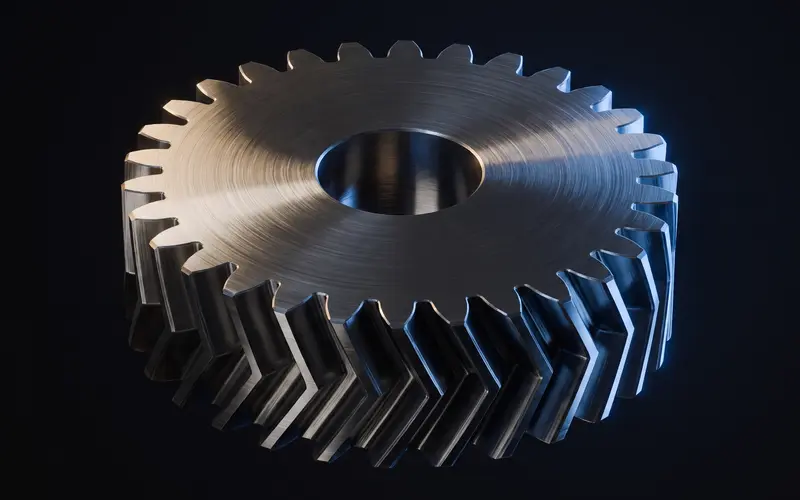
Generated STL meets code-driven CAD
A gear generator for OpenSCAD workflows hands you finished geometry that your script composes with everything else, instead of computing involute points inside a for loop. Drop the downloaded file next to your .scad source and write import("gear.stl"); the mesh becomes a first-class object for boolean operations: difference() a custom hub through it, union() it onto a shaft, intersection() it with a housing envelope. Because our meshes are watertight, they behave cleanly in CGAL evaluations instead of throwing the manifold warnings and non-manifold errors that hand-rolled gear code often produces at render time. Module, tooth count, pressure angle from 14.5 to 25 degrees and profile shift are exposed here the same way they are in the browser preview, so the geometry that renders matches what you configured. Wrap the import in a module with translate and rotate parameters and the gear slots into your parametric assembly like any coded part, with module, tooth count and bore documented as comments right above the import line.
Library gears or generated gears?
The honest comparison: a good gears.scad library keeps tooth count as a live variable inside your parametric model, which is exactly OpenSCAD's superpower, and if that matters to your design, use the library. The generated-STL route wins on correctness confidence and coverage: verified involute flanks, internal rings, true bevel pairs with matched cones, and profile shift, none of which the average snippet handles well. For internal ring gears specifically, the internal gear generator handles the trickiest case: an internal profile needs a different shift sign than an external one, which is easy to get backwards by hand. It also wins on render time, since a faceted import skips the expensive CSG that a fully coded gear rebuilds on every preview.
A practical hybrid: code your assembly with cylinder() placeholders at pitch diameter during layout, then swap in generated STLs for the final render and print.
File organization keeps this maintainable: store gears in a gears/ folder beside your source, name them by parameters like spur-m2-z20.stl, and reference them with relative paths. Your .scad file then documents the whole drivetrain in its import lines, and regenerating a changed gear never touches the code.
How do the facets affect my model?
The imported mesh's resolution is fixed at generation time, comparable to a well-chosen $fn, and tuned so flanks print smoothly on standard nozzles. Boolean results inherit that facet density where surfaces intersect. If you difference a bore through the gear, use polygon counts on your cutting cylinder in the same range, around $fn equals 64 for typical bores, so the cut edge matches the gear's surface quality. The gear module guide has a worked example of sizing a bore cylinder against a generated gear's actual root diameter.
Frequently asked questions
Can I change the gear parametrically in OpenSCAD?
Not the imported mesh itself; its teeth are baked. Keep module and tooth count as comments next to the import line, and regenerate here when they change. For gears that must vary inside the script, a gear library is the right tool.
Why does my import show up at the wrong position?
The gear exports centered on the Z axis with its base at Z equals zero. translate() and rotate() it like any object; the bore axis is the Z axis, which makes rotate([0,0,a]) the natural animation axis.
Are the meshes safe for difference() and union()?
Yes, they are watertight and manifold, which is precisely what CGAL wants. If a boolean is slow, it is the facet count doing honest work; F5 preview stays fast since imports render directly.
Can I generate herringbone gears for OpenSCAD projects?
Yes, herringbone, helical, internal, rack and bevel pairs all export the same way. Herringbone plus import() is a favorite for printed gearboxes because the library alternatives for double helical teeth are thin.
Related generators
Spur Gear Generator
Generate custom spur gears as STL files in seconds.
OpenHerringbone Gear Generator
Generate herringbone gears as STL files with opposing helical halves.
OpenGear Generator for Fusion 360
Generate involute gears free and insert them into Fusion 360 as meshes, with honest notes on mesh-to-solid conversion.
Open