3D Printable Box Generator
Use this 3D printable box generator to size a box around the space your object needs. Enter the usable inner size directly, or switch to outer body dimensions if you already know them, and keep the open cavity and the space under the closed lid apart. Then export the body and lid as STL files and check the fit on your printer.
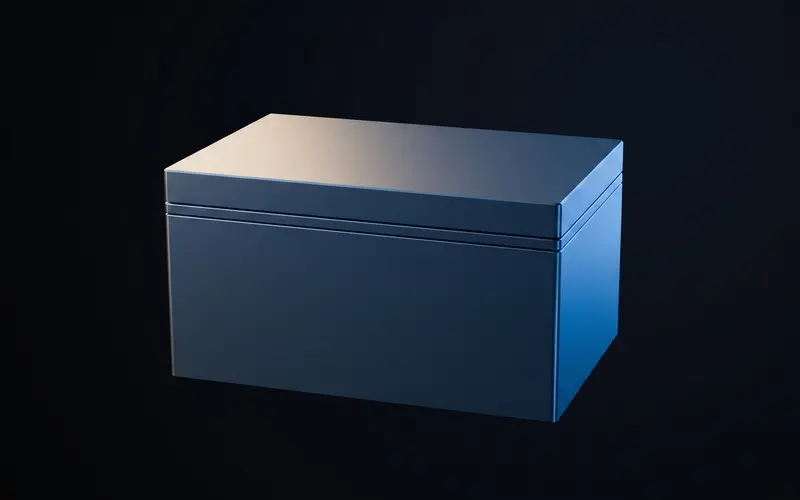
Size a box around the object
Start from the object, not from the model. Dimension input in the builder switches between Outer and Usable inner. In Usable inner you type the free space the object needs with the lid closed, and the tool derives the body: outer width is usable width plus twice the wall, outer depth follows the same rule, and body height is usable height plus the bottom plus the lip height of the closed lid. Switching the mode never changes the model, and every stored or exported file keeps the outer dimensions.
Keep three numbers apart: the outer dimensions, the open cavity inside the body, and the guaranteed usable space under the closed lid. The open cavity is width minus twice the wall, depth minus twice the wall and height minus the bottom. The usable space under the lid is that cavity height minus the lip height. The status bar reports the usable space and the outer body size next to the closed total height, and the cross-section below adds the open cavity for the same box. Outer width and depth accept 10 to 300 mm, body height 5 to 300 mm, wall, bottom and lid plate 0.8 to 8 mm each, lip height 1 to 30 mm and lid clearance 0 to 0.5 mm.
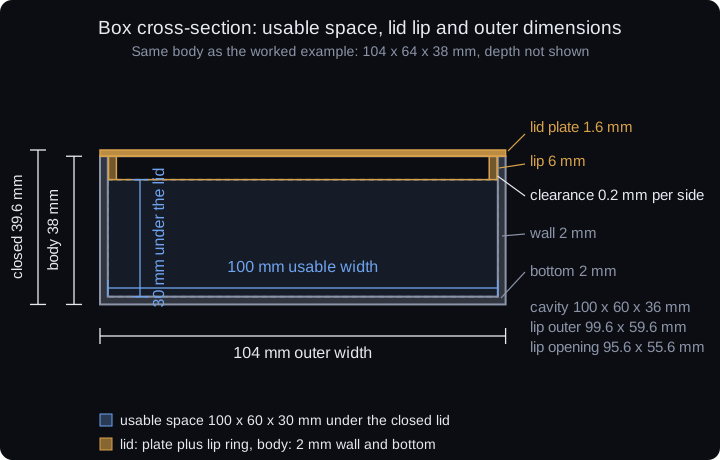
Worked example: 100 × 60 × 30 mm usable space
For an object that needs 100 × 60 × 30 mm, set Dimension input to Usable inner and enter 100, 60 and 30. The shipped defaults are a 1.6 mm wall and a 1.6 mm bottom, so set both to 2 mm for this example and keep the default 6 mm lip. The builder then derives the body 104 × 64 × 38 mm: 100 plus two walls, 60 plus two walls, and 30 plus bottom plus lip. With the default 1.6 mm lid plate the closed box stands 39.6 mm tall. These are the values behind the preview below.
Measured on the exported STL files: the body bounding box is 104 × 64 × 38 mm and the lid, plate plus lip, is 104 × 64 × 7.6 mm. The open cavity measures 100 × 60 × 36 mm, and because the 6 mm lip reaches into the opening, 100 × 60 × 30 mm of full-footprint space remains under the closed lid. The lip wall is 2 mm thick and leaves a 95.6 × 55.6 mm inner opening, so the center under the lid plate stays deeper than the space beside the lip.
| Part | Width | Depth | Height |
|---|---|---|---|
| Body input (outer) | 104 mm | 64 mm | 38 mm |
| Open cavity | 100 mm | 60 mm | 36 mm |
| Usable under closed lid | 100 mm | 60 mm | 30 mm |
| Lip outer | 99.6 mm | 59.6 mm | 6 mm |
| Lip inner opening | 95.6 mm | 55.6 mm | 6 mm |
| Lid total (plate + lip) | 104 mm | 64 mm | 7.6 mm |
| Closed box total | 104 mm | 64 mm | 39.6 mm |
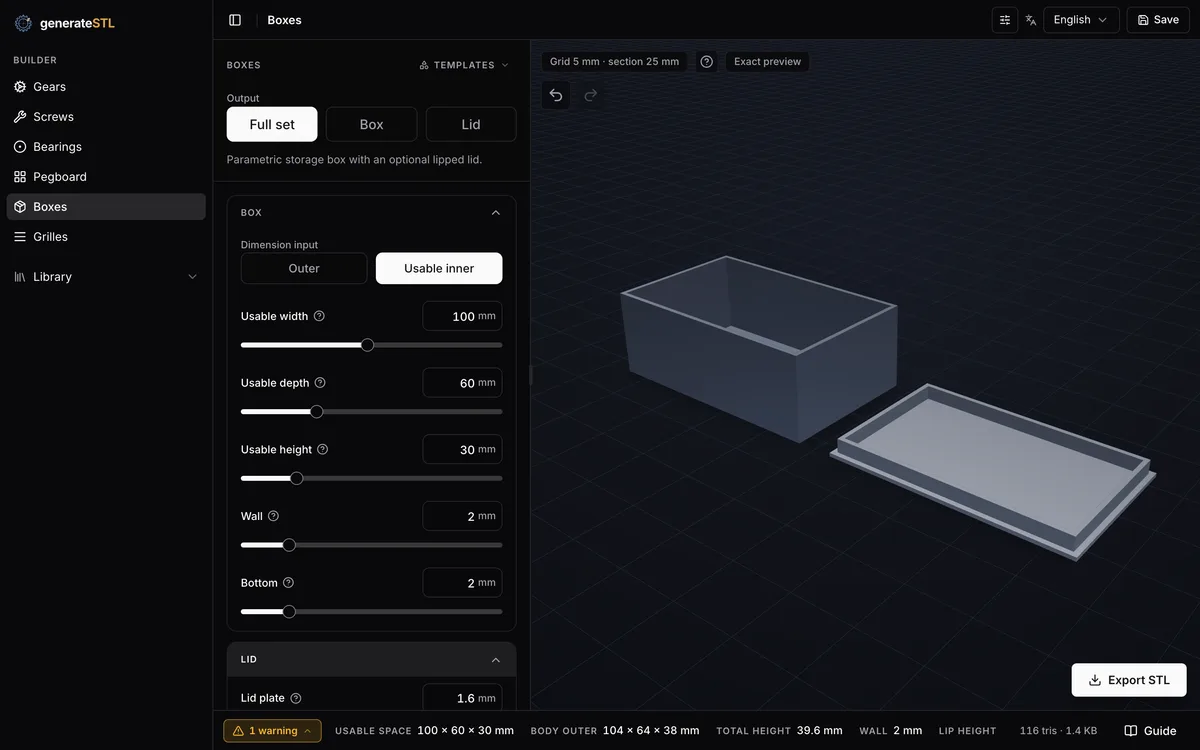
What the lid clearance changes
Lid clearance shrinks the lip, not the box. The lip outer width is box width minus twice the wall minus twice the clearance, so the example becomes 99.6 mm wide and 59.6 mm deep at the default 0.2 mm. The model therefore holds a 0.2 mm gap on each side between lip and body wall. The setting runs from 0 to 0.5 mm in 0.05 mm steps.
Clearance is independent of the free space you reserve around the object. A larger clearance loosens the lid against the walls; it does not add room for the object, and it does not correct a printer that extrudes wide. Treat the default as a starting model value and verify it with a fit sample from your own process. Lip height, from 1 to 30 mm, sets how deep the ring reaches into the opening, so usable closed height stays body height minus bottom minus lip height.
Export the body and lid
Choose body, lid or set in the tool. Body and lid are separate STL downloads, and the set returns one ZIP with exactly three files: box-104x64x38-w2-generatestl.com.stl, box-lid-104x64-w2-generatestl.com.stl and a short README.txt, with your own dimensions in the names. The lid plate can be placed on the bed with its lip upward; check orientation, support needs and bed space for the actual configuration in your slicer.
The body is a plain open-top shell and the lid locates through its lip alone. There is no hinge, latch, snap fit, electronics mounting, seal or Gridfinity base in this model. For a screw-mounted enclosure, the nut and bolt generator produces the fasteners as separate parts, and their mounting features remain your design. Open the box generator to enter your numbers, or compare all tools on the generators page.
Check a small fit sample
No page can promise the lid fit of your printer. Extrusion width, material shrinkage and first-layer squish all move the real gap, so print a short section of the wall and lip before the full box. Change one value at a time: clearance for the lid, wall for the shell. Keep the exported files and their settings together so the working combination stays repeatable.
Inspect the STL files in the slicer before printing: the lip should stand clear of the body wall on every side and the plate should cover the opening fully. A model that checks out digitally is still not a tested print; record your process values and treat the first pair as measurement, not production.
Frequently asked questions
Are these inner or outer dimensions?
Both, depending on the mode. Dimension input offers Outer and Usable inner: the usable mode takes the guaranteed free space with the lid closed and shows the outer body dimensions it derives from it. Switching the mode only changes the view, because stored models, exports and the API keep outer dimensions. The example above enters 100 × 60 × 30 mm with a 2 mm wall and a 2 mm bottom and gets a 104 × 64 × 38 mm body.
Does the lid reduce usable height?
Yes. The lid lip enters the opening by its lip height, 6 mm by default. An object that spans the full width must fit below the lip, so usable closed height is body height minus bottom minus lip height: 38 minus 2 minus 6 gives 30 mm in the example. Narrower objects can use the deeper space in the center under the lid plate.
Is lid clearance per side?
Yes. The clearance value is the modeled gap on each side between the lip and the body wall: 0.2 mm shrinks the lip by 0.4 mm in total width and depth. It is a model value before printing, not a guaranteed printed fit.
Which files are in the ZIP?
The set export contains three files: the body STL, the lid STL and a README.txt. File names carry the box dimensions and wall thickness, for example box-104x64x38-w2-generatestl.com.stl. Body and lid are separate parts, not a fused model.
Does it support Gridfinity, hinges or latches?
The current tool creates a rectangular body with a separate locating-lip lid. Gridfinity bases, hinges, latches and electronics mounting features are not provided by this generator.
Related generators
Box Generator
Build a box with a separate lid using inner or outer dimensions.
OpenNut and Bolt Generator
Create nuts, bolts and washers as STL files using shared thread settings.
OpenBearing Generator
Generate two- or three-ring plain bearings as STL with configurable bore, outer diameter, width and clearance.
Open